Join the DiscordDiscord
01 / 06 REEL #38 · COMMENT SLASH

Claude Code has over 60 slash commands. These 40 are worth knowing.

Built in. Nothing to install. One line each, read off Anthropic's own commands page, plus the five from the reel with the exact thing to type.

built in, no pluginone docs page, 70 rowschecked 4 Sep 2026/schedule needs Pro or Max
npm install -g @anthropic-ai/claude-code
/rewind /btw /goal /loop /schedule
02 / 06 THE FIVE FROM THE REEL

Each one hands Claude more of the job

Undo, ask on the side, work until done, work on a timer, work with you gone. Frames from the reel.

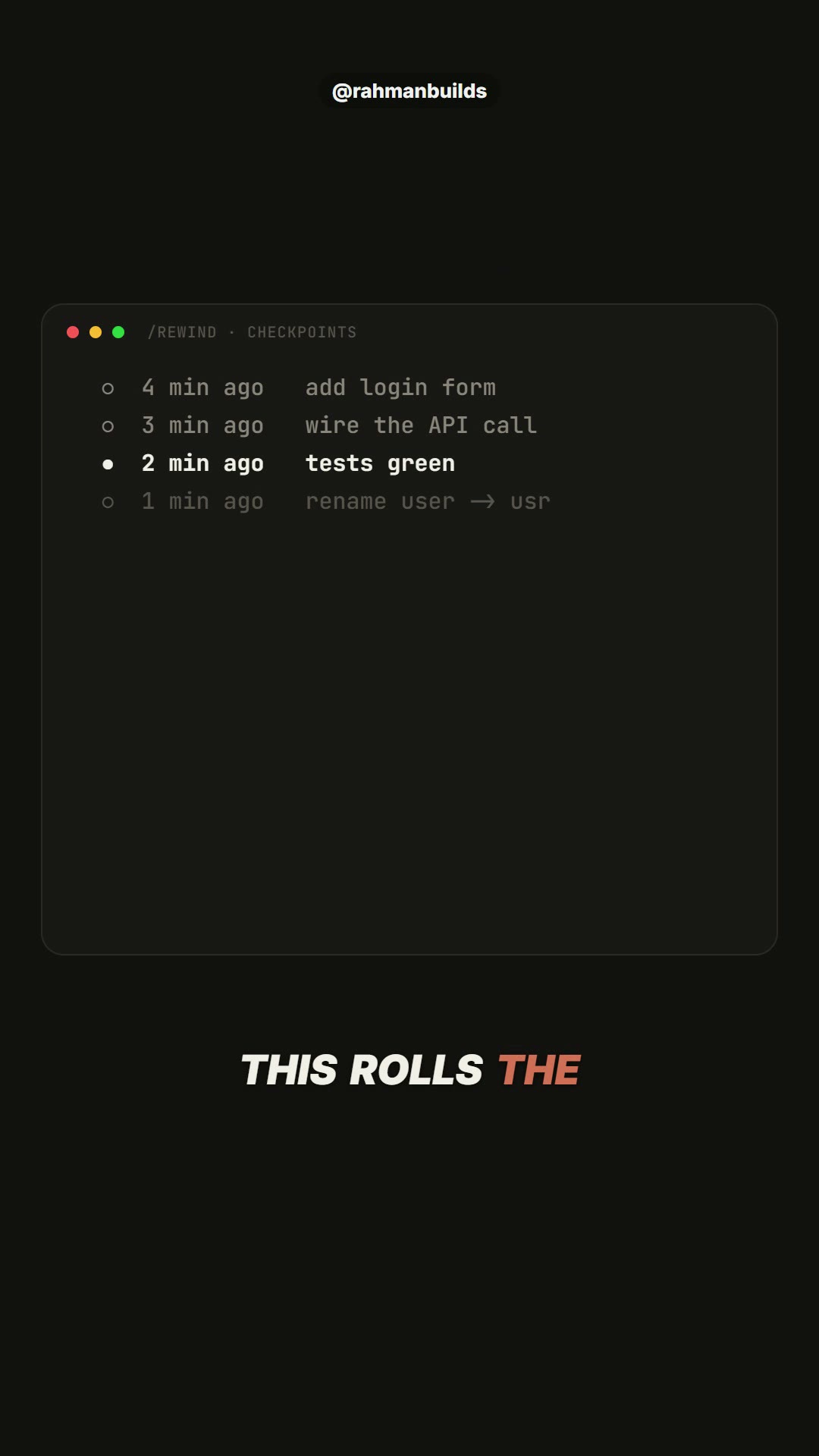
The /rewind checkpoint picker
01 / 05/rewindRolls the code and the conversation back to a checkpoint. An undo button for the whole session.type /rewind, pick the checkpoint, confirm
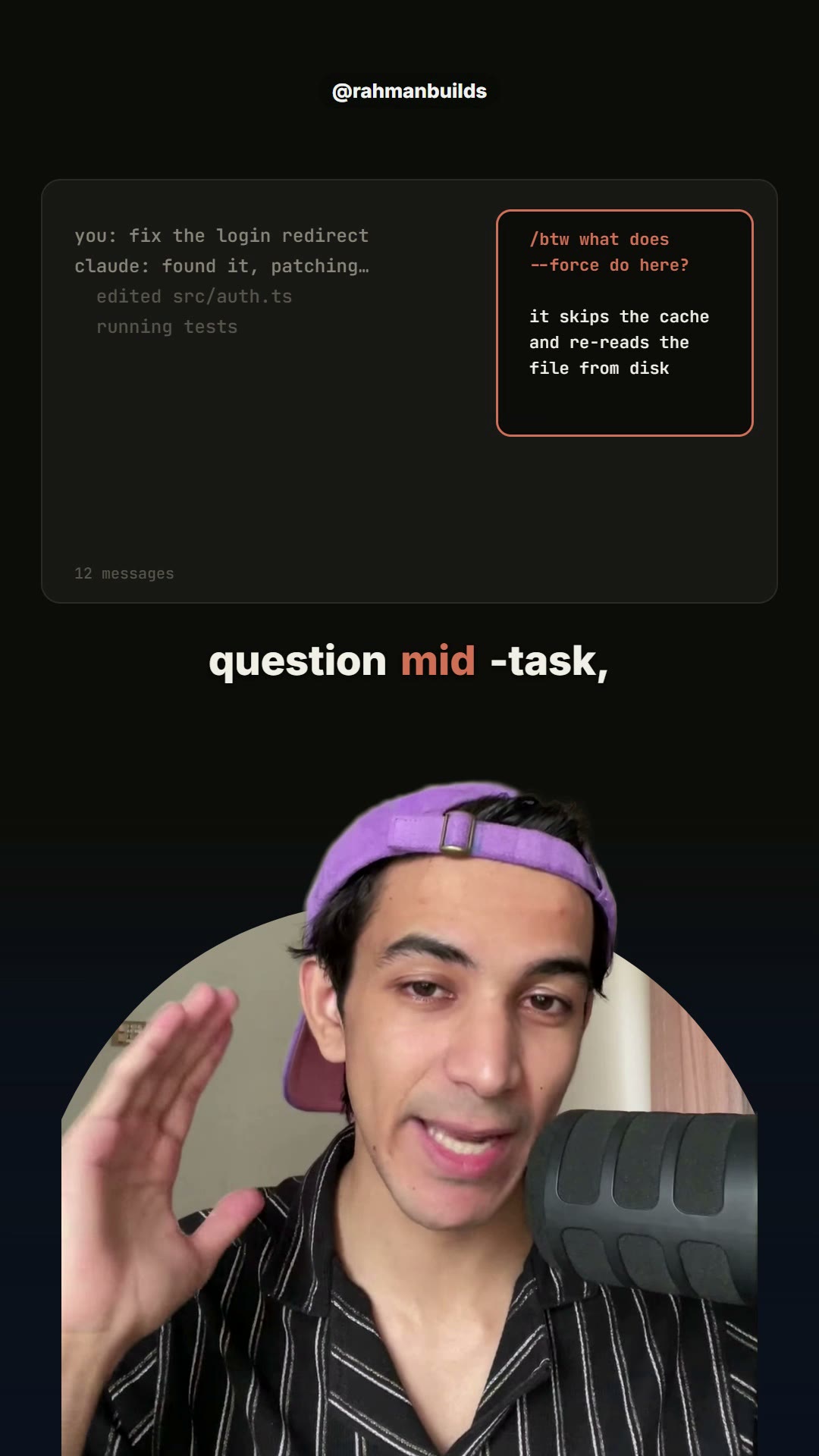
A /btw side question beside the transcript
02 / 05/btwA side question about the current session that never enters the conversation. Your context stays clean./btw what does --force do here?
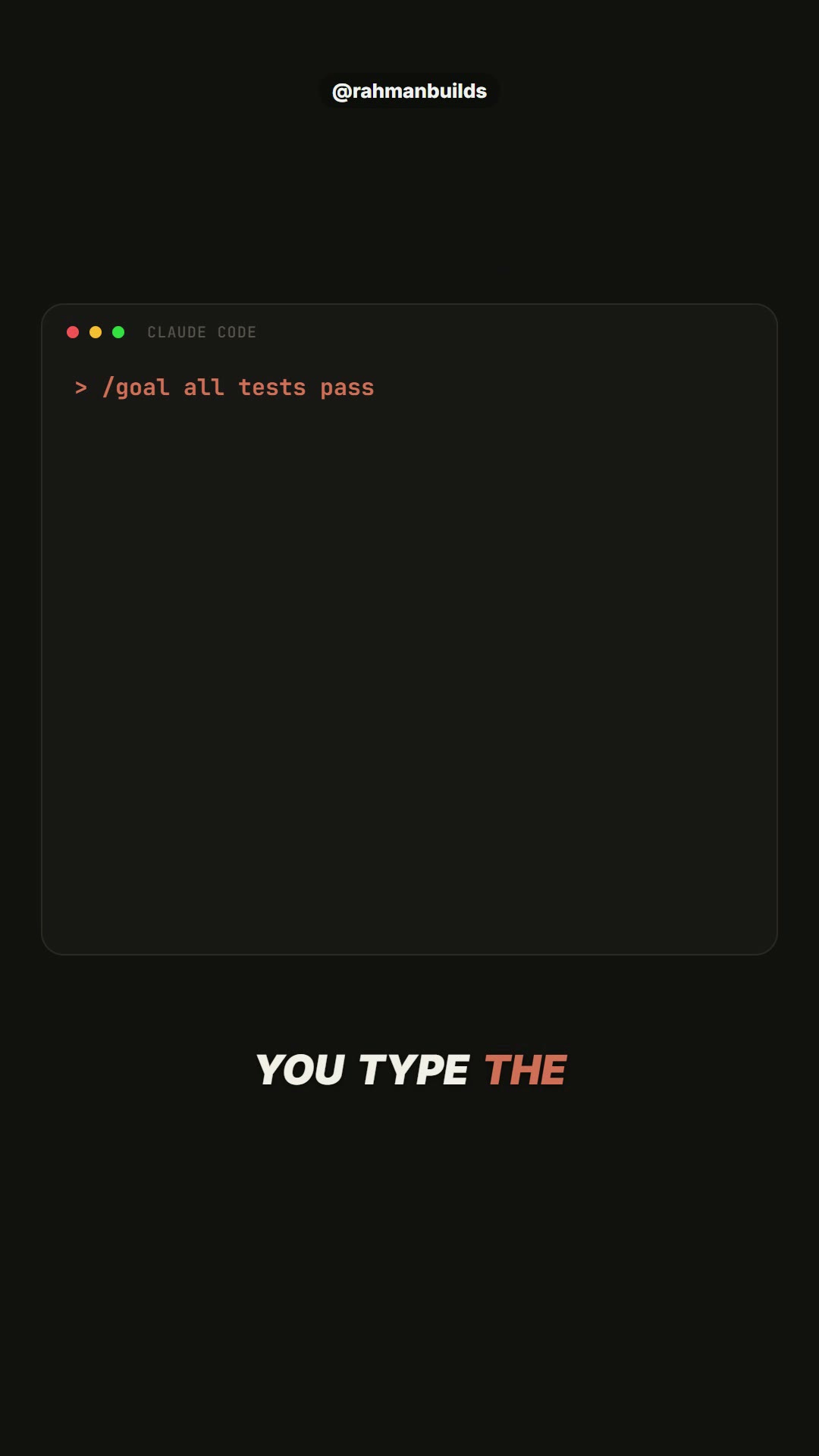
/goal all tests pass, the goal active indicator
03 / 05/goalYou type the finish line. Claude keeps working turn after turn, and a second model checks after every turn whether it is met. You stop prompting every step./goal all tests in test/auth pass and the lint step is clean
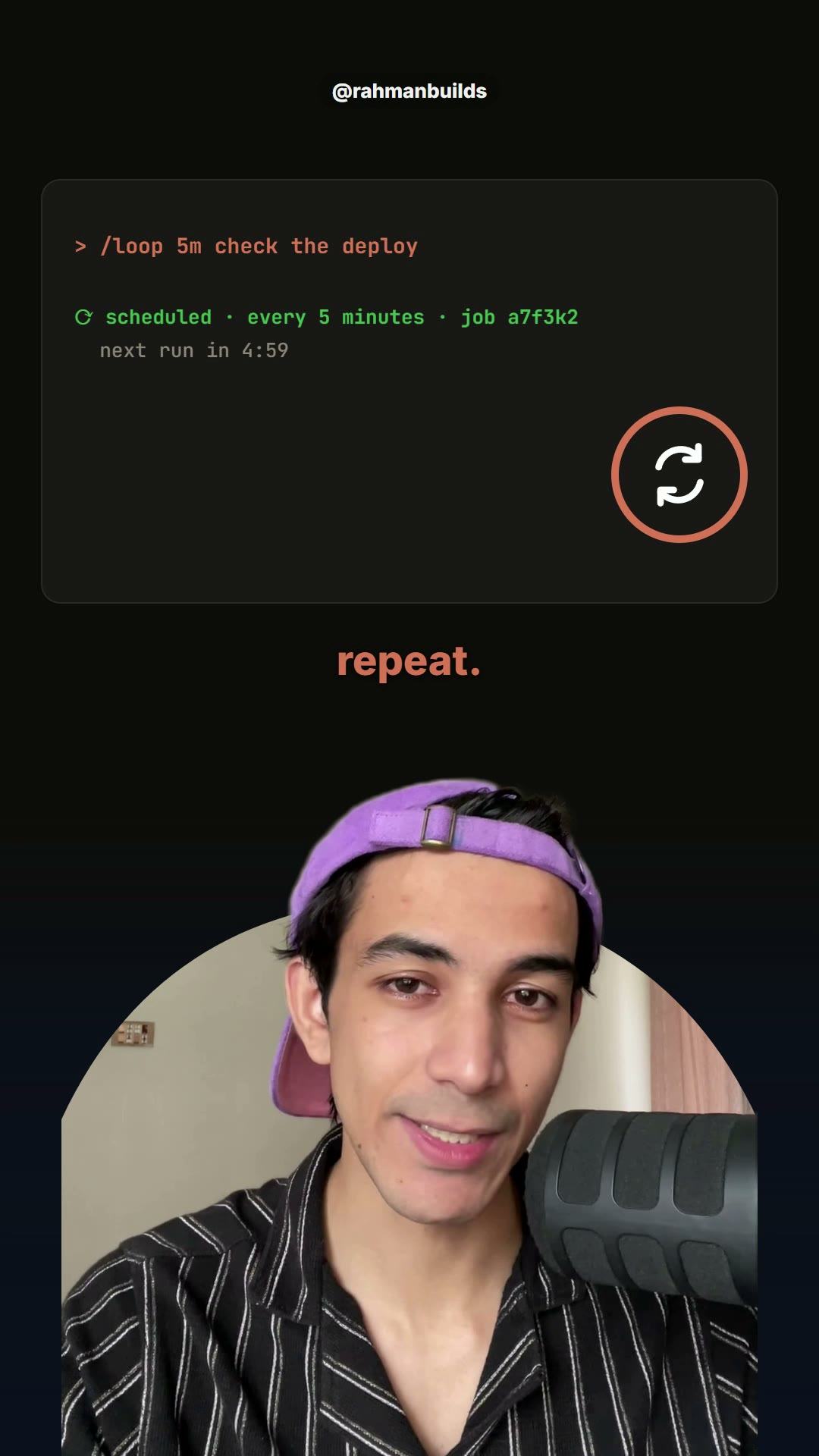
/loop 5m check the deploy, scheduled
04 / 05/loopAny prompt on repeat, on an interval, while the session stays open. Closing the terminal stops it; a recurring loop expires after 7 days./loop 5m check the deploy /loop 1h babysit the PR
Laptop shut, the routine still running
05 / 05/scheduleCreates a routine that runs on Anthropic's cloud: hourly, daily, weekdays, weekly, or when a pull request opens. It keeps working when your laptop is closed./schedule every weekday at 9am, triage new issues and open a PR for the easy ones
The catch on /schedule: routines are a research preview on the Pro, Max, Team and Enterprise plans. The minimum interval is one hour. Runs count against your account's usage limits. Manage them at claude.ai/code/routines.
03 / 06 THE 40

The 40 worth knowing, one line each

Chosen from the 70 built-in commands and about 20 bundled skills on the page. Kept: anything a daily user would type on purpose. Dropped: login and account plumbing, aliases, IDE plumbing, admin-only. The five from the reel are marked in coral.

SET IT UPBefore the first promptdocs ↗

  • /initCreates a CLAUDE.md guide for the project so Claude knows the rules from turn one.
  • /memoryEdits your CLAUDE.md files and turns auto memory on or off.
  • /permissionsSets the allow, ask and deny rules for what Claude may run.
  • /fewer-permission-promptsScans your past sessions and writes an allowlist so it stops asking about safe commands.
  • /hooksShows the hooks wired to tool events.
  • /mcpConnects, reconnects and logs in to MCP servers.
  • /pluginLists, installs, enables and disables plugins.
  • /import codex /import geminiPulls your Codex or Gemini CLI config into Claude Code.
  • /statuslineSets up the status line. Describe what you want, or let it copy your shell prompt.
  • /themeChanges the colour theme, including colourblind-safe ones.
  • /powerupTeaches Claude Code features with short interactive lessons and animated demos.

WHILE YOU WORKThe ones that hand it the jobdocs ↗

  • /planEnters plan mode, with the task attached if you pass one.
  • /modelSwitches the model and saves it as your default.
  • /effortSets how hard it thinks, from low to max.
  • /fastToggles fast mode.
  • /advisorLets a second model check in on the work at key moments.
  • /btwAsks a side question without adding it to the conversation.
  • /rewindRolls the code and the chat back to a checkpoint.
  • /branchBranches the conversation so you can try another direction without losing this one.
  • /subtaskHands a side task to a subagent that reports back into this chat.
  • /tasksShows and manages the background work in this session.
  • /backgroundDetaches the whole session to keep running in the background and frees your terminal.
  • /goalSets a finish line; Claude keeps working until a second model confirms it is met.
  • /loopRuns a prompt on repeat while the session stays open, on a fixed interval or self-paced.
  • /scheduleCreates routines that run in Anthropic's cloud on a schedule or on GitHub events, laptop closed.
  • /batchSplits a large change into 5 to 30 independent units and runs each in its own worktree.

MANAGE THE CONTEXTWhen the conversation gets longdocs ↗

  • /contextShows what is filling the context window, as a coloured grid.
  • /compactSummarises the conversation so far to free up space.
  • /clearStarts a fresh conversation.
  • /resumeReturns to an earlier conversation.
  • /renameNames the current session so you can find it again.

BEFORE YOU SHIPThe review passdocs ↗

  • /diffOpens an interactive viewer of uncommitted changes and per-turn diffs.
  • /code-reviewReviews the diff, a PR number or a branch for bugs and cleanups; --fix applies them.
  • /simplifyRuns four review agents on the changed code for reuse, simplification and efficiency, then applies the fixes.
  • /security-reviewChecks the diff for security holes.
  • /doctorRuns a setup checkup and can fix what it finds.

EVERYWHERE ELSEOff the keyboarddocs ↗

  • /remote-controlLets you continue this local session from another device.
  • /voiceTurns on voice dictation.
  • /usageShows your plan usage and limits.
  • /insightsBuilds an HTML report of your recent sessions: what you work on, where things go wrong, what to try next.
04 / 06 RECEIPTS

Where every line comes from

Not from a course. From the page.

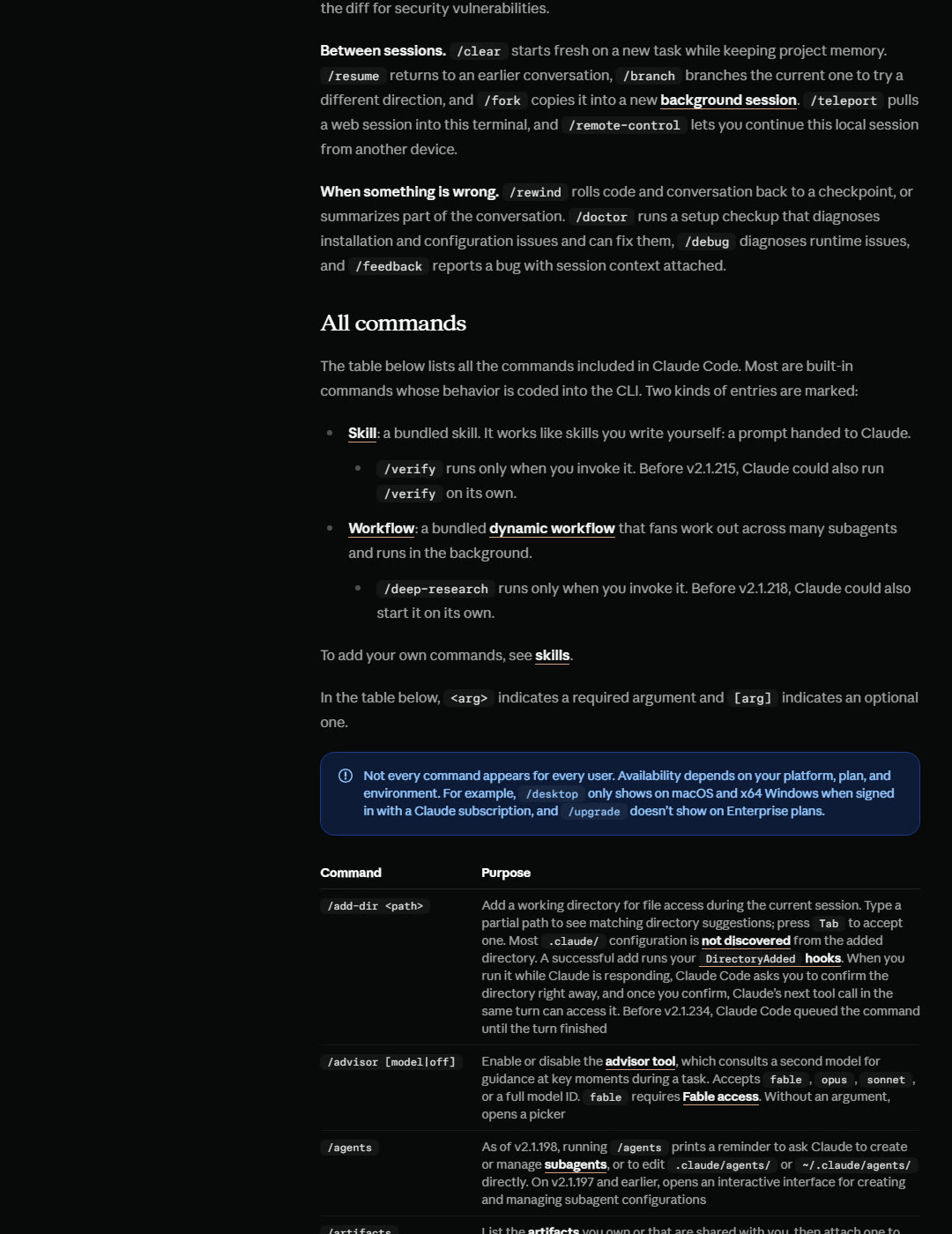
The built-in commands table on code.claude.com
REAL PAGEcode.claude.com/docs/en/commands, the built-in commands table, captured 4 September 2026. 70 rows of built-in commands, then the bundled skills. This is the page the reel scrolls through.
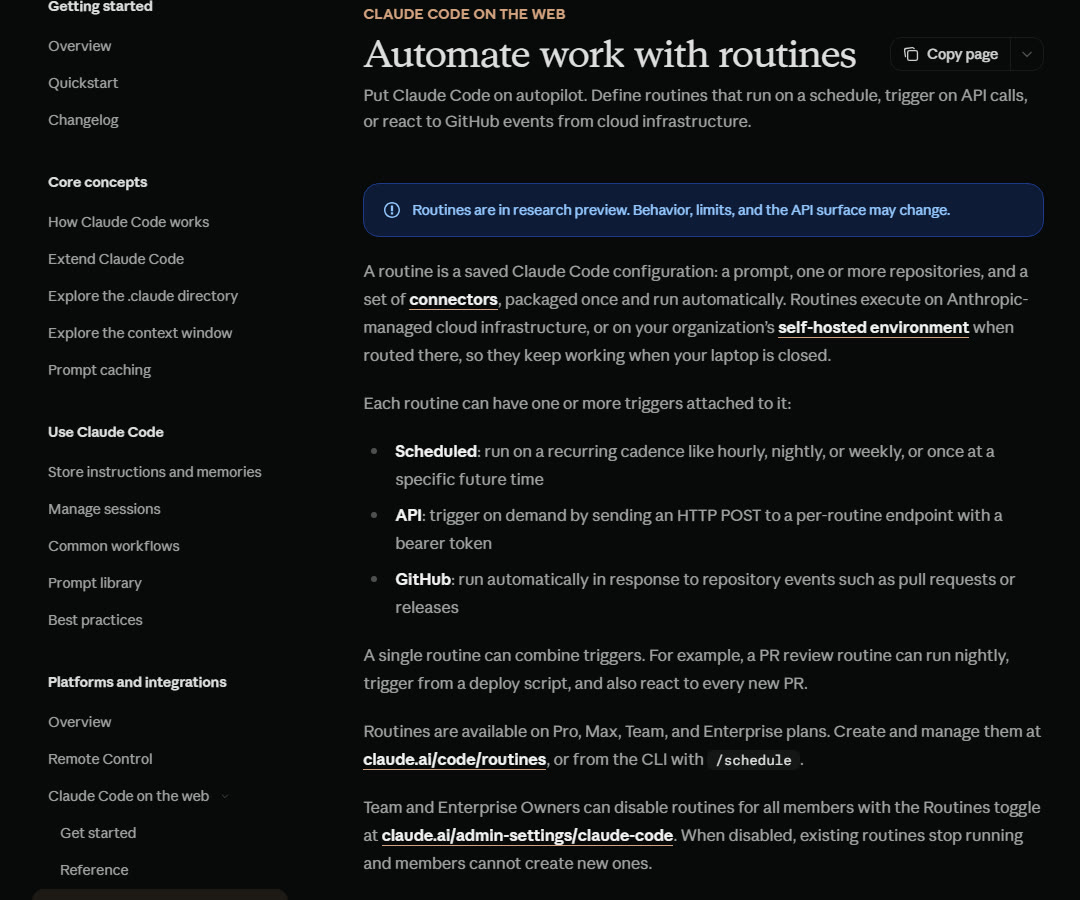
The routines page: they keep working when your laptop is closed
REAL PAGEcode.claude.com/docs/en/routines, captured the same day. The line the reel is built on: routines execute on Anthropic-managed cloud infrastructure, so they keep working when your laptop is closed.
05 / 06 THE HONEST BITS

What the reel could not fit

/loop is not /schedule. A loop lives inside your open session. Close the terminal and it stops. A recurring loop also expires after 7 days. If you want it to survive your laptop, that is /schedule, and that one needs a Pro, Max, Team or Enterprise plan.
/goal judges only what Claude shows. The evaluator reads the conversation, it does not run commands itself. So write a condition Claude can prove in its own output: "npm test exits 0", "git status is clean", "or stop after 20 turns".
The count moves. The page said 70 built-in commands on 4 September 2026. Anthropic adds and renames them often, so "over 60" is the safe number and the page is the truth.
06 / 06 SOURCES

Read them yourself

Open the commands page

Questions about this? Ask in the Discord.

Free tools, honest feedback on your work, and people who answer. Job hunters, builders and learners.

Join free